Backbone vs ClickUp

Everything you need, nothing in the way.

ClickUp packs serious power into one workspace, with fifteen-plus task views and deep automations at an approachable price. Backbone trades endless configuration for calm speed, uniting bot-free call notes, projects, schedules, contracts and Xero.

Backbone

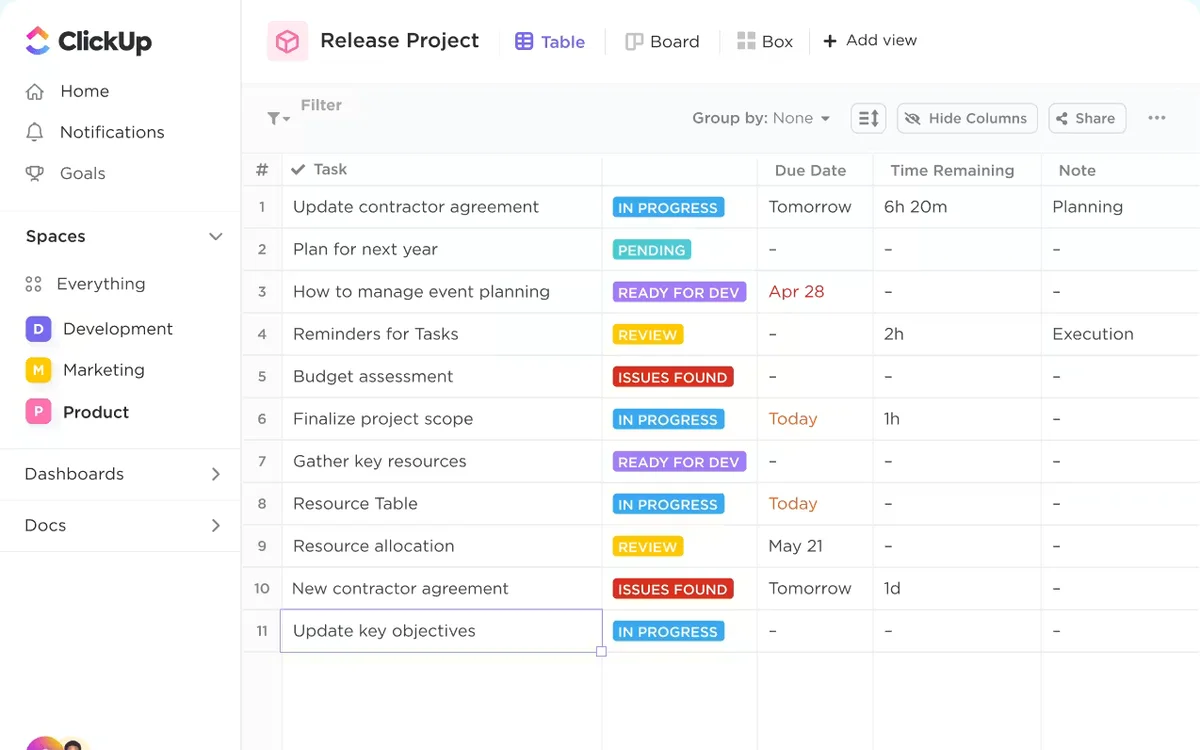
ClickUp product interface

ClickUp

Credit where it's due

Where ClickUp shines

ClickUp shines for operations-minded teams that want every list, board, automation and dashboard tailored to their exact workflow.

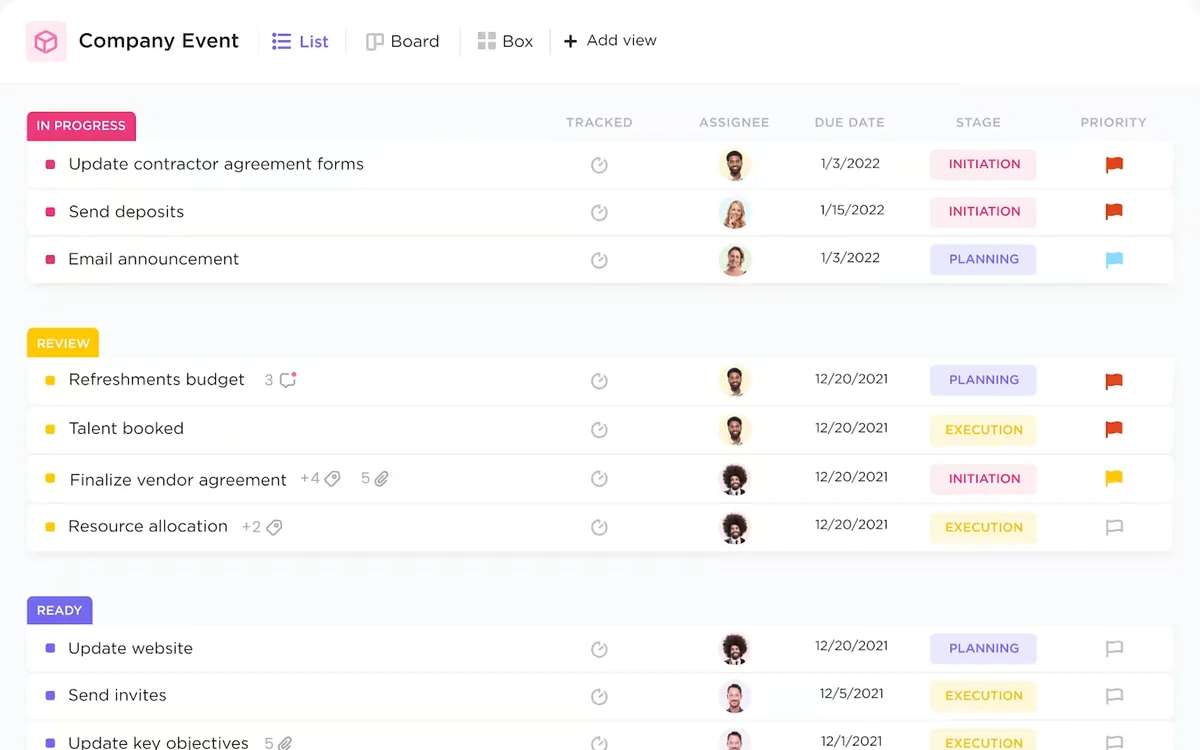
  • Fifteen-plus customisable views. Switch effortlessly between lists, boards, Gantt charts, tables and custom executive dashboards.
  • Deep workflow automations. Automate task routing, status updates and reminders across busy cross-functional delivery teams.
  • Sharp per-seat value. Start free, then scale on Core at US$9 or Business at US$17.
ClickUp feature view

Where Backbone goes further

Built for calm focus, not toggle fatigue.

Run client work from private calls to Xero invoices without configuring fifty settings.

Bot-free calls, no credit meters

Record client calls privately on Mac, iPhone and web without inviting a bot or counting AI credits.

Tasks with full client context

Every task stays linked to its client, source meeting and weekly studio schedule.

Proposals, contracts and Xero

Close work with built-in proposals and e-signatures, then sync invoices directly into Xero.

Private by design

End-to-end encryption covers meetings, clients, projects, tasks and schedule, with per-organisation encryption for Xero, proposals and contracts.

Side by side

The details.

Backbone and ClickUp compared
FeatureBackboneClickUp
Meeting capture and AI
Meeting recordingBot-free capture on Mac, iPhone and webBot AI Notetaker joins video calls
AI billing modelIncluded without metering AI creditsBrain² and AI Notetaker use credits
Transcript to workLinks decisions straight to clients and tasksCreates summaries and tasks inside ClickUp
Projects and views
Workspace simplicityOpinionated, quiet workspace ready on day one15+ views with deep hierarchy settings
AutomationsAutomatic call, task and billing handoffsExtensive custom trigger and action builder
Team schedulingClear visual weekly studio capacityWorkload views available on higher plans
Proposals and billing
Proposals and e-signBuilt-in proposals with native e-signaturesNo native proposals or contract signing
Xero integrationNative Xero sync includedNo native Xero accounting sync
Base pricingOne straightforward workspace subscriptionFree, Core US$9, Business US$17 annual
Privacy and focus
Encryption modelEnd-to-end core workspace, per-organisation Xero, proposals and contractsStandard encryption in transit and at rest
Daily speedFast native Mac, iPhone and web appsDense web app across many modules
Built forClient service studios running end to endTeams customising complex multi-department tasks

An honest answer

Which should you choose?

Choose ClickUp if

  • You love customising views, fields, dashboards and intricate task automations.
  • You need a generous free tier or US$9 Core entry pricing.
  • You handle client proposals, contracts and Xero billing in separate tools.

Choose Backbone if

  • You want bot-free client call capture without meeting bots or credit meters.
  • You need proposals, e-signatures and native Xero sync alongside daily tasks.
  • You want a fast, quiet workspace without endless toggles to maintain.
  • End-to-end encryption for meetings, clients, projects, tasks and schedule matters.
Get on the Waitlist

More comparisons

Backbone vs monday.com

Visual boards and split CRM versus Backbone’s single studio workspace.

Compare with monday.com

Backbone vs Notion

Flexible docs and databases compared with Backbone’s ready-made client flow.

Compare with Notion

Backbone vs Teamwork.com

Client portals and retainers compared with Backbone’s calm internal workspace.

Compare with Teamwork.com

Backbone vs Asana

Structured task projects versus meetings, clients and Xero.

Compare with Asana

Questions

How Backbone works.

Contact us
What is Backbone?

One encrypted record of your business, built from your meetings, email, calendar, invoices and project work. Your team works from it, and so do the AI tools you choose.

Can Backbone read my data?

No. Your record is encrypted on your devices before it reaches us, and your team holds the keys. What we store is unreadable to us.

What does the AI see?

Only what a request needs. Each question sends the content for that one answer to the AI model, and the answer is encrypted again before it is saved.

Which AI tools can use my record?

Claude, Codex, Cursor, VS Code and Windsurf connect through MCP, the open standard. You give each tool its own key and choose what it can read, change or send.

Does a bot join my meetings?

No. Backbone records from your Mac, your iPhone or your browser, so nothing extra joins the call.

What does it connect to?

Gmail, Google Calendar, Outlook Mail, Outlook Calendar, Microsoft Teams, Xero, Slack, GitHub, Linear and Sentry.

How does pricing work?

You pay for the organisation, not for each person. Everyone shares one pool of usage, and every plan starts with 14 days free.

Can I use my own AI?

Yes. Bring your own AI is one flat price for Backbone. You add your own provider and API keys, and the provider bills you directly.

Where is my data stored?

On servers in Australia.

Can I take my data with me?

Yes. You can export your whole record whenever you choose.

Give your business a Backbone.

Start with your next meeting. Each meeting adds to your record.

Early access

Get on the Waitlist

Backbone is opening up to service teams soon. Leave your work email and we will reach out when your spot is ready.