Product / Projects

Every project, from brief to final file.

Overview, dedicated workboard, timeline and files in one place, linked to the client, meetings and contract behind the job.

Overview

See the whole job in one glance.

Brief, client, invoiced total, who is booked on the work and what needs you next sit together on one page. No chasing status updates.

  • Brief, Xero invoices and people booked on one page
  • Delivery counts and Needs you flags at the top

Workboards

A dedicated board for every project.

Switch to Work for a board and list scoped to that job. Group by status, person or priority, and turn meeting next steps straight into cards.

  • Kanban board and list view per project
  • Filter by teammate, label or work type

Timeline

Drag the plan as dates move.

Every scheduled task lays out on the project timeline, grouped by epic and coloured by status. Drag bars to adjust dates and spot slips early.

  • Zoom across weeks, months or quarters
  • Drag and resize bars right on the chart

Files and photos

Every brief, deck and photo stays with the job.

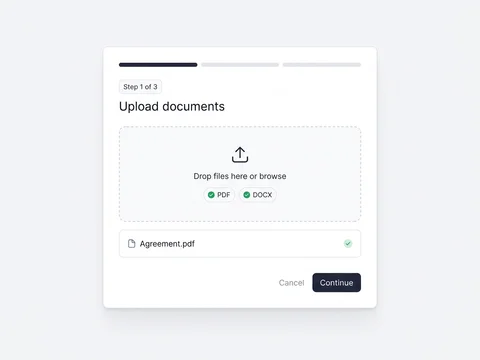
Drop photos, PDFs and working files straight onto the project. They stay encrypted in your workspace vault and show up beside the work.

  • 4-column photo grid and document list
  • End-to-end encrypted in your workspace

Run it with the agent

Manage the whole project from chat.

Restructure phases, shift milestones or update a project brief without opening a single menu. Ask the agent to adjust the timeline, attach a file or summarise what is blocking launch, and it handles it in place.

  • Creates projects, shifts milestones and updates briefs on request
  • Keeps the timeline, workboard and brief in sync in one step

Across Backbone

Connected to the rest of Backbone.

Linked to money

Xero invoices for the job sit on the project, so you always know what is billed and what is paid.

GitHub and Sentry

Link a repository and a Sentry project to see merged pull requests and open issues beside the work.

Contractor booked view

Booked contractors see the brief and their schedule, without invoices or private client notes.

Questions

Projects, answered.

Contact us
How are Projects different from Tasks?

Tasks shows every piece of work across your business. A project gathers the tasks, timeline, files and money for one job, linked to its client and contract, so you can run that job on its own page.

How is the Timeline different from Schedule?

The Timeline shows dates and work for one project. Schedule helps you plan people and capacity across projects.

Can I link GitHub and Sentry to a project?

Yes. Connect GitHub or Sentry and link the relevant repository or Sentry project from Backbone.

Give your business a Backbone.

Start with your next meeting. Each meeting adds to your record.

Early access

Get on the Waitlist

Backbone is opening up to service teams soon. Leave your work email and we will reach out when your spot is ready.