Backbone vs Asana

Cross-department project tracking, or every client job end to end

Asana brings structure to complex tasks, timelines, and multi-team portfolios, paired with AI Studio credits. Backbone keeps tasks close to the client work itself, uniting projects with bot-free meetings, CRM, proposals, and Xero.

Backbone

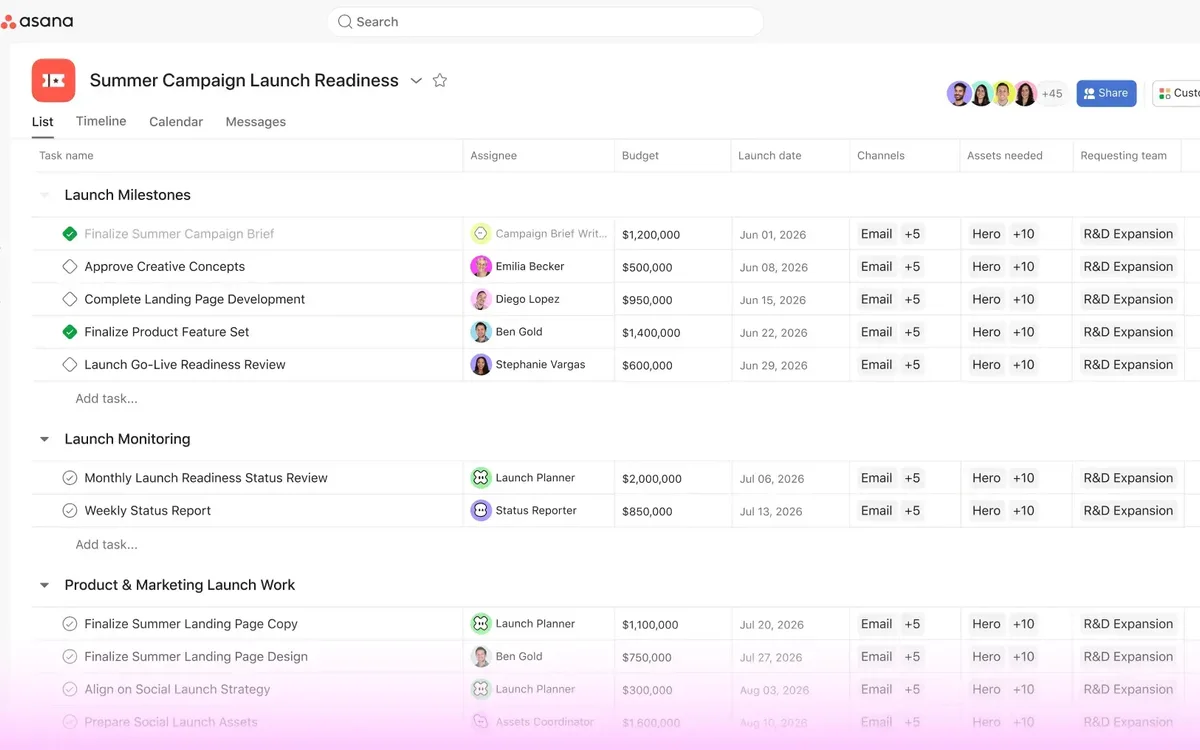
Asana product interface

Asana

Credit where it's due

Where Asana shines

Asana is a gold standard for cross-functional task tracking. Large internal teams rely on its timelines, dependencies, and portfolio reporting.

  • Clean tasks and timelines. Switch cleanly between lists, boards, and Gantt timelines with clear owners and dependencies.
  • Portfolios and goals. Track company initiatives across departments and spot blocked milestones across multiple active projects.
  • Workflow rules and AI Studio. Automate routine triage and approvals using built-in rules plus optional AI Studio credits.
Asana feature view

Where Backbone goes further

Tasks connected to context. Clients, calls, and cashflow.

Know why a task exists, who asked for it, and whether it is billed.

Tasks born from meetings

Action items flow straight from bot-free client calls into project boards without manual copy-paste.

Native meeting intelligence

Review transcripts and decisions right beside the project instead of digging through separate apps.

Built-in client CRM

Every project links back to the client record, deal pipeline, contacts, and signed scope.

Proposals and Xero revenue

Connect project budgets to proposals, contracts, and Xero invoices so margin stays visible.

Side by side

The details.

Backbone and Asana compared
FeatureBackboneAsana
Tasks and delivery
Task viewsFocused project tasks linked to client workLists, boards, timelines, and multi-project portfolios
Automation and AIBuilt-in meeting summaries and workspace contextRules builder plus AI Studio credit usage
Team schedulingTeam capacity and scheduling built right inWorkload planning requires Advanced tier
Client business context
Meeting captureBot-free native Mac capture linked to projectsNo native meeting recorder or transcription
CRM and pipelineFull CRM and deal pipeline included nativelyNo built-in client CRM or deal pipeline
Proposals and XeroProposals, contracts, and two-way Xero billing built inNo native proposals, contracts, or Xero sync
Privacy and security
Workspace encryptionE2EE meetings, clients, projects, tasks, and scheduleStandard cloud SaaS encryption at rest
Commercial documentsPer-organisation encryption for Xero, proposals, and contractsLives outside Asana in separate finance tools
Context switchingCalls, scope, tasks, and invoices stay linkedTasks sit disconnected from calls and invoices
Pricing and value
Free and StarterOne workspace covering delivery, CRM, and callsPersonal Free (2 users); Starter US$10.99/user/mo annual
Advanced tierNo separate credit packs for core workflowsAdvanced US$24.99/user/mo annual plus AI credits
Stack footprintSingle calm operating system for client teamsNeeds separate CRM, notetaker, proposals, and billing

An honest answer

Which should you choose?

Choose Asana if

  • You coordinate large internal departments with complex cross-team project portfolios.
  • You need deep task dependencies and already run separate CRM and billing.
  • You want mature enterprise governance and extensive workflow automation rules.

Choose Backbone if

  • You run a client-service team where tasks come directly from calls.
  • You want CRM, bot-free meetings, proposals, and Xero beside your tasks.
  • You want end-to-end encryption for meetings, clients, projects, tasks, and schedule.
  • You want project visibility without paying for four separate tools.
Get on the Waitlist

More comparisons

Questions

How Backbone works.

Contact us
What is Backbone?

One encrypted record of your business, built from your meetings, email, calendar, invoices and project work. Your team works from it, and so do the AI tools you choose.

Can Backbone read my data?

No. Your record is encrypted on your devices before it reaches us, and your team holds the keys. What we store is unreadable to us.

What does the AI see?

Only what a request needs. Each question sends the content for that one answer to the AI model, and the answer is encrypted again before it is saved.

Which AI tools can use my record?

Claude, Codex, Cursor, VS Code and Windsurf connect through MCP, the open standard. You give each tool its own key and choose what it can read, change or send.

Does a bot join my meetings?

No. Backbone records from your Mac, your iPhone or your browser, so nothing extra joins the call.

What does it connect to?

Gmail, Google Calendar, Outlook Mail, Outlook Calendar, Microsoft Teams, Xero, Slack, GitHub, Linear and Sentry.

How does pricing work?

You pay for the organisation, not for each person. Everyone shares one pool of usage, and every plan starts with 14 days free.

Can I use my own AI?

Yes. Bring your own AI is one flat price for Backbone. You add your own provider and API keys, and the provider bills you directly.

Where is my data stored?

On servers in Australia.

Can I take my data with me?

Yes. You can export your whole record whenever you choose.

Give your business a Backbone.

Start with your next meeting. Each meeting adds to your record.

Early access

Get on the Waitlist

Backbone is opening up to service teams soon. Leave your work email and we will reach out when your spot is ready.