Backbone vs Resource Guru

A team calendar connected to the work itself

Resource Guru prevents double-bookings across people, leave, and equipment in the browser. Backbone brings team scheduling together with botless meetings, clients, tasks, proposals, and Xero inside one private workspace.

Backbone

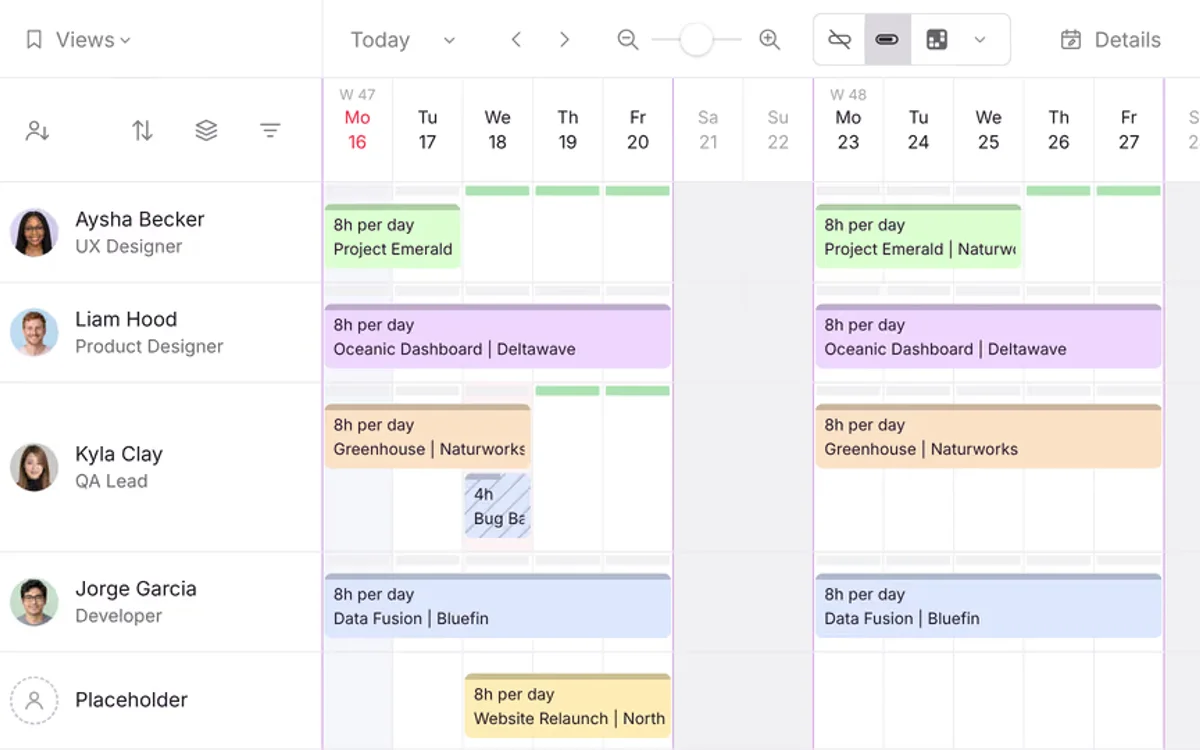
Resource Guru product interface

Resource Guru

Credit where it's due

Where Resource Guru shines

Resource Guru solves booking conflicts cleanly. Its clash engine keeps people, leave calendars, and shared studio equipment organised.

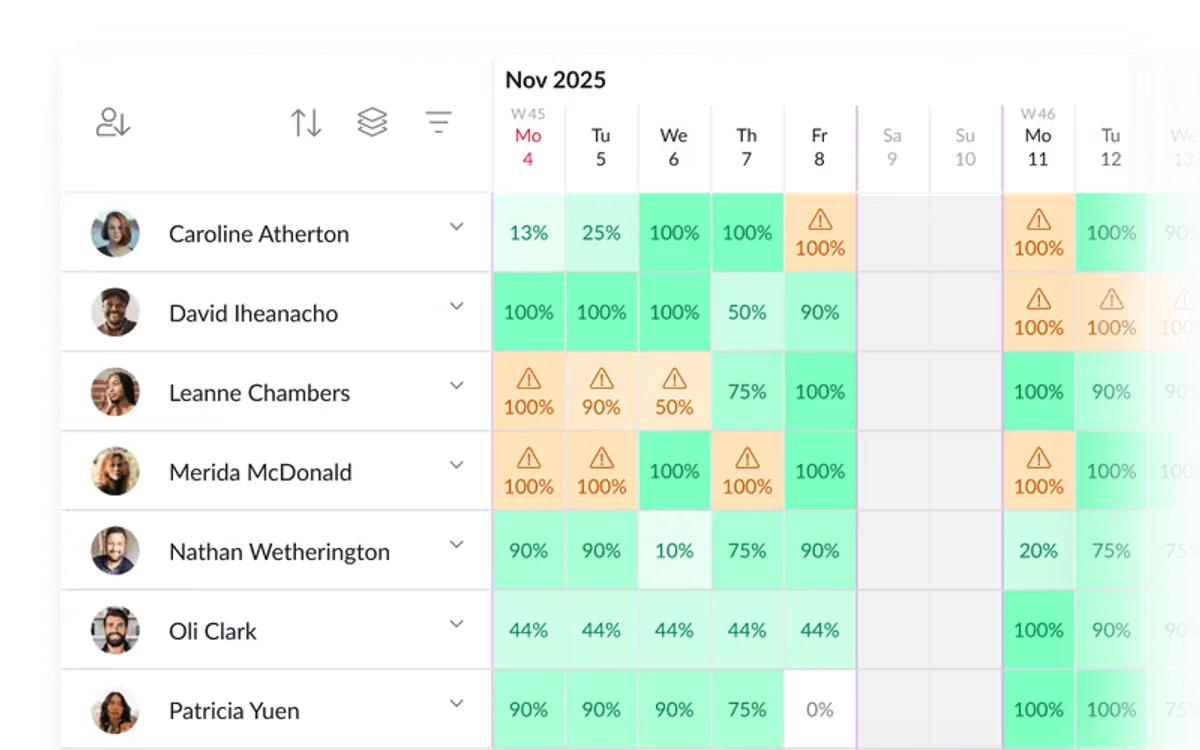
  • Built-in clash management. Automatic conflict checks flag double-bookings and move overflow hours straight into a waiting list.
  • People, leave, and equipment. Book team members, holidays, meeting rooms, and production gear from one shared browser calendar.
  • Low entry pricing. Grasshopper starts at US$5, Blackbelt at US$8, and Master at US$12 per person annually.
Resource Guru feature view

Where Backbone goes further

More than bookings in a browser tab

Keep team availability tied to real client conversations, deliverables, contracts, and billing.

Scheduling inside live projects

Plan team capacity alongside real project tasks and milestones instead of maintaining a separate booking sheet.

Client context beside every booking

Open a client record to see meetings, tasks, pipeline deals, and signed contracts in one place.

Botless meetings that drive delivery

Record calls locally without bots, review transcripts quickly, and turn client decisions straight into tasks.

Native commercial workflow and privacy

Core workspace data is end-to-end encrypted, while proposals, contracts, and Xero sync use per-organisation encryption.

Side by side

The details.

Backbone and Resource Guru compared
FeatureBackboneResource Guru
Scheduling & resources
Clash & capacityTeam capacity calendar linked directly to active projectsDedicated clash engine with waiting list for conflicts
Equipment & leaveFocused on agency people, capacity, and project timelinesNative booking for rooms, equipment, and team leave
App experienceFast workspace built for daily agency delivery workflowsWeb-only interface with no native desktop application
Clients & commercial
Client CRMFull client directory, deals, contacts, and activity historyClient labels only; no full CRM or pipeline
Proposals & contractsBuilt-in proposals, contracts, and signing with cryptographic proofNot included; needs separate proposal and signing tools
Xero integrationNative Xero sync for contacts, quotes, and invoicesNot included natively; relies on external automation
Meetings & tasks
Meeting notes & AIBotless local capture, transcripts, summaries, and workspace AINo call recording, transcription, or meeting summaries
Task managementFull tasks, owners, statuses, and deliverables per clientBooking blocks only; no structured project task lists
Cross-team visibilityConnects calls, tasks, schedules, and revenue in one viewShows booked hours without client or commercial context
Privacy & pricing
Encryption modelE2EE core workspace; per-organisation encryption for Xero and contractsStandard cloud encryption in transit and at rest
2026 pricingOne subscription covering scheduling, CRM, meetings, and proposalsUS$5 Grasshopper, US$8 Blackbelt, US$12 Master/person/mo annually
Best fitClient service agencies consolidating delivery, commercial, and AIStudios booking gear, rooms, and staff in browsers

An honest answer

Which should you choose?

Choose Resource Guru if

  • You regularly book physical equipment, studio rooms, and staff leave together.
  • A clash-checking waiting list is your main scheduling bottleneck right now.
  • You prefer a low-cost browser scheduler alongside your existing agency stack.

Choose Backbone if

  • You want team scheduling tied directly to clients, meetings, tasks, and billing.
  • You need proposals, contracts, and native Xero sync without third-party glue.
  • You want botless meeting capture that turns client calls into scheduled work.
  • You want end-to-end encryption for your core client and delivery workspace.
Get on the Waitlist

More comparisons

Backbone vs Float

Visual capacity planning compared with a unified encrypted agency system.

Compare with Float

Backbone vs Proposify

Design-led proposals versus connected proposals, signing, scheduling, and Xero.

Compare with Proposify

Backbone vs Notion AI

General workspace docs with AI versus structured encrypted agency operations.

Compare with Notion AI

Backbone vs Granola

See how Granola compares with Backbone’s private shared record.

Compare with Granola

Questions

How Backbone works.

Contact us
What is Backbone?

One encrypted record of your business, built from your meetings, email, calendar, invoices and project work. Your team works from it, and so do the AI tools you choose.

Can Backbone read my data?

No. Your record is encrypted on your devices before it reaches us, and your team holds the keys. What we store is unreadable to us.

What does the AI see?

Only what a request needs. Each question sends the content for that one answer to the AI model, and the answer is encrypted again before it is saved.

Which AI tools can use my record?

Claude, Codex, Cursor, VS Code and Windsurf connect through MCP, the open standard. You give each tool its own key and choose what it can read, change or send.

Does a bot join my meetings?

No. Backbone records from your Mac, your iPhone or your browser, so nothing extra joins the call.

What does it connect to?

Gmail, Google Calendar, Outlook Mail, Outlook Calendar, Microsoft Teams, Xero, Slack, GitHub, Linear and Sentry.

How does pricing work?

You pay for the organisation, not for each person. Everyone shares one pool of usage, and every plan starts with 14 days free.

Can I use my own AI?

Yes. Bring your own AI is one flat price for Backbone. You add your own provider and API keys, and the provider bills you directly.

Where is my data stored?

On servers in Australia.

Can I take my data with me?

Yes. You can export your whole record whenever you choose.

Give your business a Backbone.

Start with your next meeting. Each meeting adds to your record.

Early access

Get on the Waitlist

Backbone is opening up to service teams soon. Leave your work email and we will reach out when your spot is ready.