Backbone vs Float

Scheduling that starts with the client work

Float is built for fast, visual resource scheduling across busy agency teams. Backbone pairs team scheduling with botless meetings, clients, projects, proposals, and native Xero inside one private agency workspace.

Backbone

Float product interface

Float

Credit where it's due

Where Float shines

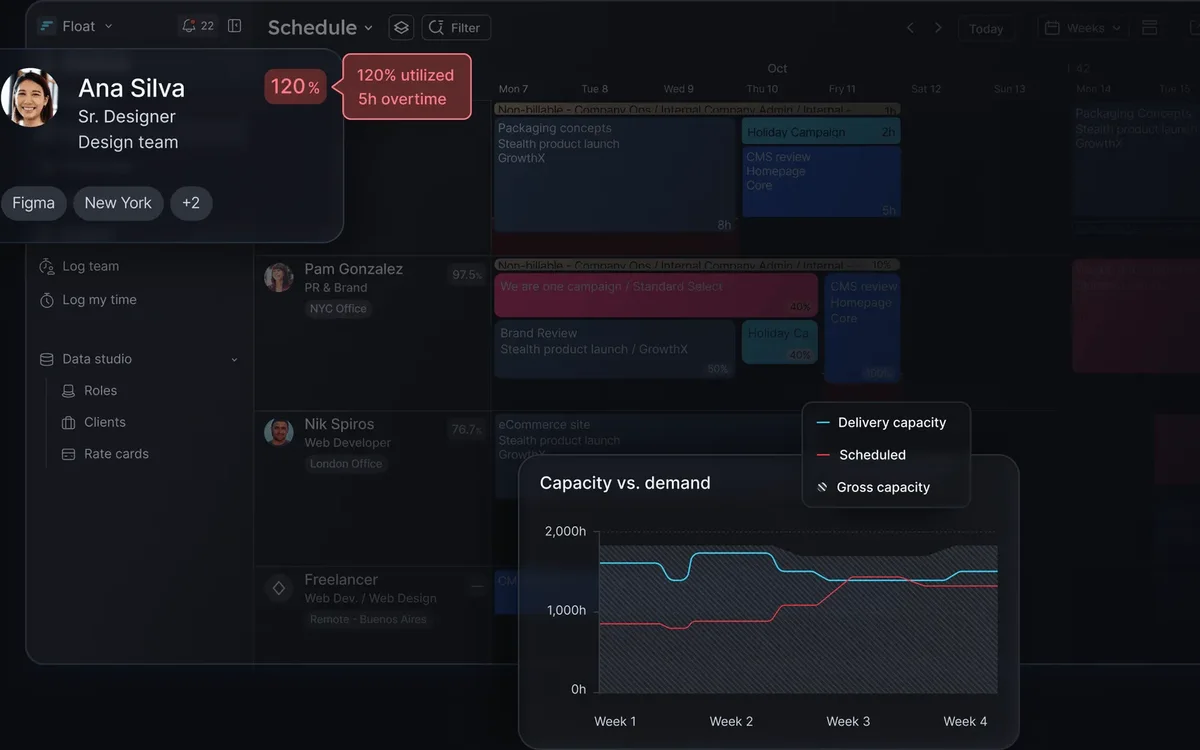
Float stays focused on capacity planning. It is quick to learn, pleasant to drag around, and clear for producers.

  • Fast visual schedule. Drag-and-drop timelines show who is booked, overloaded, or available across projects in seconds.
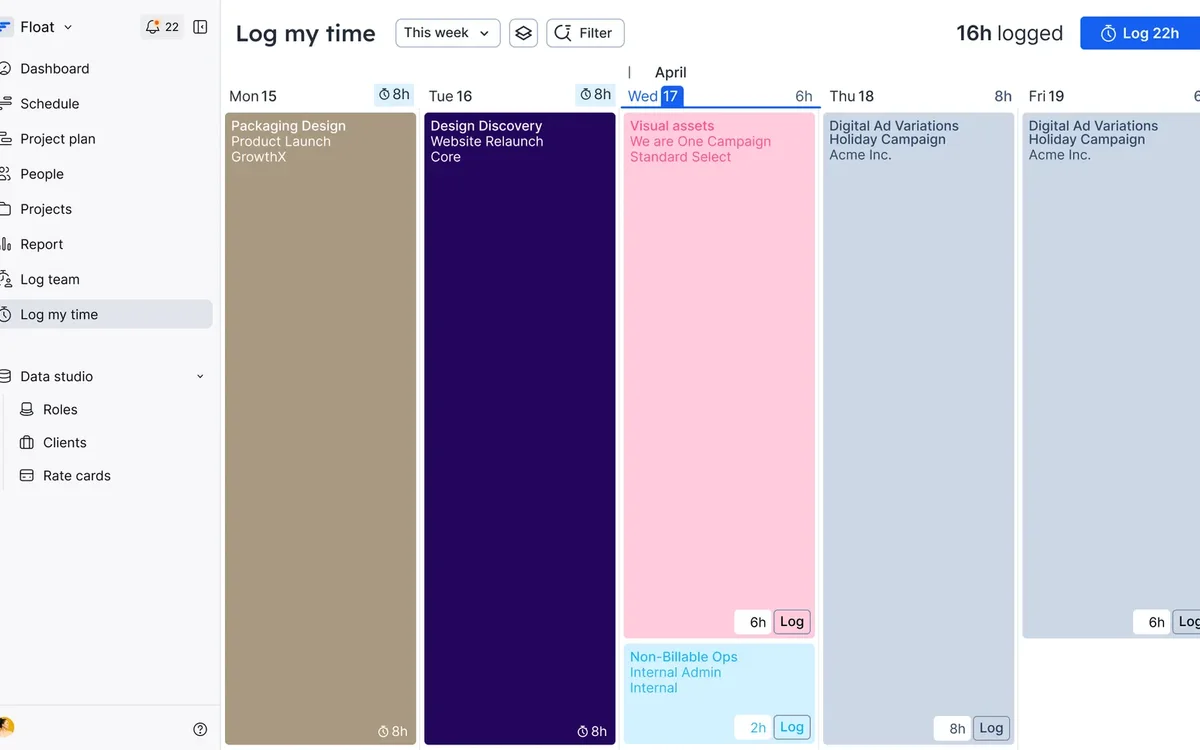
  • Capacity and time tracking. Pro plans combine allocations with pre-filled timesheets so planned hours match logged delivery.
  • Straightforward per-person pricing. Starter costs US$6 and Pro costs US$10 per scheduled person monthly when billed annually.
Float feature view

Where Backbone goes further

A schedule connected to the work itself

Scheduling works better when proposals, client meetings, tasks, and invoices live beside it.

Signed scope flows into capacity

Approved proposals and contracts turn straight into projects, tasks, and team allocations without re-keying.

Botless meetings tied to delivery

Capture client calls locally without bots, then link decisions and follow-ups straight to scheduled tasks.

Clients, pipeline, and Xero included

Track leads, send proposals, and sync invoices with Xero natively instead of stitching four tools.

Encrypted where client work lives

Meetings, clients, projects, tasks, and schedules are end-to-end encrypted, with per-organisation encryption for Xero and contracts.

Side by side

The details.

Backbone and Float compared
FeatureBackboneFloat
Scheduling & delivery
Resource calendarTeam capacity calendar linked directly to agency projectsFast visual drag-and-drop team allocation timeline
Time & task trackingFull project tasks, owners, and delivery schedules togetherPre-filled timesheets on Pro; light task management
Scope to scheduleSigned proposals flow directly into projects and schedulesManual project setup or external PM integration
Clients & commercial
Client CRM & pipelineBuilt-in client records, contacts, deals, and historyNot included; requires a separate CRM tool
Proposals & contractsNative proposals, contracts, and signing with cryptographic proofNot included; relies on external document tools
Xero accounting syncNative Xero sync for contacts, quotes, and invoicesNot included; requires Zapier or third-party connectors
Meetings & AI
Meeting captureBotless local meeting capture, transcripts, and structured reviewsNo meeting recording, transcription, or call notes
Workspace AI assistantAI grounded in your clients, meetings, and projectsNo AI assistant grounded in client work
Action follow-throughMeeting actions turn straight into assigned project tasksAllocations only; decisions live in other apps
Privacy & pricing
Data encryptionE2EE core workspace; per-organisation encryption for Xero and contractsStandard cloud encryption in transit and at rest
2026 pricingOne agency workspace replacing multiple single-purpose subscriptionsStarter US$6 or Pro US$10/person/mo billed annually
Tool sprawlOne connected system from first call to paid invoicePairs with separate CRM, meeting, and proposal tools

An honest answer

Which should you choose?

Choose Float if

  • You already love your CRM, meeting, and proposal tools and want standalone scheduling.
  • Producers spend all day adjusting complex multi-team allocations and tracking logged timesheets.
  • You want a lightweight calendar priced strictly per scheduled person at US$6 to US$10.

Choose Backbone if

  • You want scheduling connected directly to client meetings, tasks, proposals, and Xero.
  • You are tired of re-entering signed scopes into a separate resource calendar.
  • Your agency handles sensitive client work that warrants end-to-end encrypted workspaces.
  • You want to replace four disconnected subscriptions with one calm agency system.
Get on the Waitlist

More comparisons

Backbone vs PandaDoc

Dedicated proposal editing versus connected proposals, signing, projects, and Xero.

Compare with PandaDoc

Backbone vs Notion AI

Flexible docs with AI notes versus structured, encrypted client delivery.

Compare with Notion AI

Backbone vs Granola

See how Granola compares with Backbone’s private shared record.

Compare with Granola

Questions

How Backbone works.

Contact us
What is Backbone?

One encrypted record of your business, built from your meetings, email, calendar, invoices and project work. Your team works from it, and so do the AI tools you choose.

Can Backbone read my data?

No. Your record is encrypted on your devices before it reaches us, and your team holds the keys. What we store is unreadable to us.

What does the AI see?

Only what a request needs. Each question sends the content for that one answer to the AI model, and the answer is encrypted again before it is saved.

Which AI tools can use my record?

Claude, Codex, Cursor, VS Code and Windsurf connect through MCP, the open standard. You give each tool its own key and choose what it can read, change or send.

Does a bot join my meetings?

No. Backbone records from your Mac, your iPhone or your browser, so nothing extra joins the call.

What does it connect to?

Gmail, Google Calendar, Outlook Mail, Outlook Calendar, Microsoft Teams, Xero, Slack, GitHub, Linear and Sentry.

How does pricing work?

You pay for the organisation, not for each person. Everyone shares one pool of usage, and every plan starts with 14 days free.

Can I use my own AI?

Yes. Bring your own AI is one flat price for Backbone. You add your own provider and API keys, and the provider bills you directly.

Where is my data stored?

On servers in Australia.

Can I take my data with me?

Yes. You can export your whole record whenever you choose.

Give your business a Backbone.

Start with your next meeting. Each meeting adds to your record.

Early access

Get on the Waitlist

Backbone is opening up to service teams soon. Leave your work email and we will reach out when your spot is ready.