Backbone vs Trello

Effortless visual boards, or a complete client workspace

Trello made Kanban boards effortless, now paired with Inbox and Planner for quick personal capture. Backbone keeps that same calm clarity while connecting projects to bot-free meetings, CRM, scheduling, proposals, and Xero.

Backbone

Trello product interface

Trello

Credit where it's due

Where Trello shines

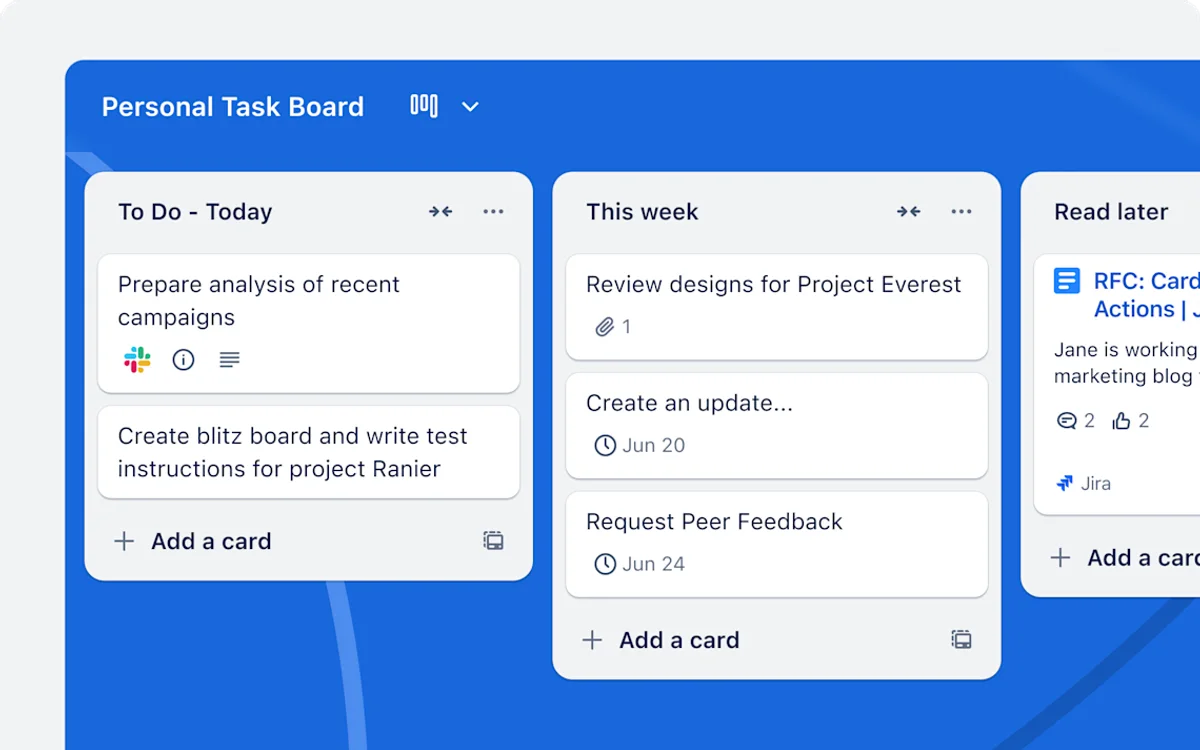
Trello is hard to beat for instant visual clarity. Anyone can understand a board in thirty seconds and start moving cards.

  • Effortless Kanban boards. Move cards across columns in seconds with almost zero learning curve for new teammates.
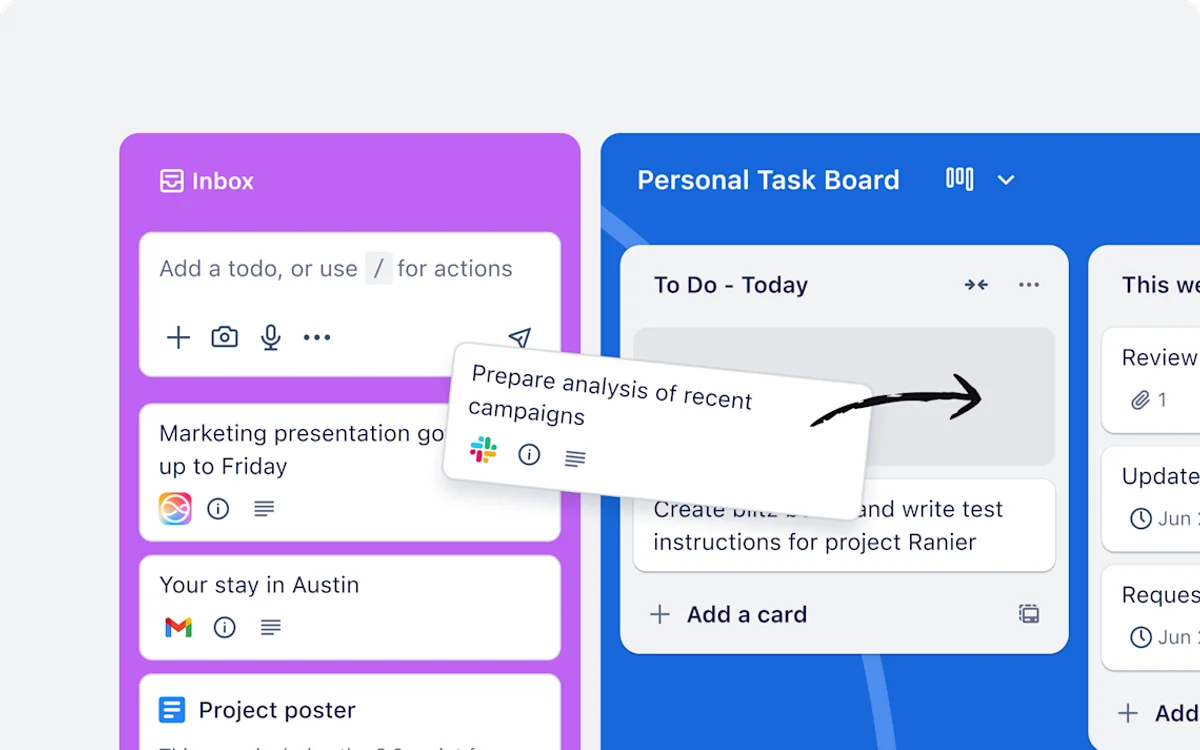
  • Inbox and Planner. Capture loose tasks into Inbox and drag them onto your daily Planner calendar.
  • Low entry pricing. Free covers 10 boards, with Standard at US$5 and Premium at US$10 per user.
Trello feature view

Where Backbone goes further

Simple when you start. Still structured at scale.

Outgrow scattered card boards without trading away speed, clarity, or client context.

Structured client projects

Organise deliverables by client and milestone so active work never dissolves into unnamed cards.

Real team scheduling

See studio capacity across weeks instead of guessing who can absorb the next sprint.

Meetings and CRM included

Bot-free call notes and client records live directly beside the tasks they create.

Proposals to paid Xero invoices

Send scoped proposals and contracts with per-organisation encryption, then sync billing to Xero.

Side by side

The details.

Backbone and Trello compared
FeatureBackboneTrello
Boards and planning
Core workflowClient projects, tasks, and milestones built inSimple Kanban boards with Inbox and Planner
Team capacityVisual team scheduling across active client projectsNo built-in studio resource scheduling
Board limitsStructured by clients and projects from day oneFree tier caps workspaces at 10 boards
Client business tools
Meeting captureBot-free native Mac capture with live transcriptsNo native meeting recording or notes
CRM and pipelineNative CRM and deal pipeline connected to workManual card workarounds; no native CRM
Proposals and XeroProposals, contracts, and two-way Xero sync nativeNo proposals, contracts, or Xero integration
Privacy and architecture
Workspace encryptionE2EE meetings, clients, projects, tasks, and scheduleStandard Atlassian cloud encryption at rest
Commercial securityPer-organisation encryption for Xero, proposals, and contractsBilling and contracts live in other apps
Power-Up sprawlComplete client operating system out of the boxRelies on paid Power-Ups for serious workflows
Pricing and value
Starter pricingOne plan replacing boards, CRM, and callsFree (10 boards); Standard US$5/user/mo annual
Team tiersNo paid Power-Ups or extra client toolsPremium US$10; Enterprise US$17.50/user/mo annual
Best fitService businesses running paid client engagementsLight personal boards and simple checklists

An honest answer

Which should you choose?

Choose Trello if

  • You want lightweight Kanban boards for personal planning or small side projects.
  • You love Inbox and Planner and need ultra-low US$5 per-user pricing.
  • You only track simple card movement without CRM, calls, or invoicing.

Choose Backbone if

  • Your studio has outgrown sticky-note boards and manual Power-Up workarounds.
  • You want bot-free meetings, CRM, scheduling, proposals, and Xero together.
  • You need end-to-end encryption for meetings, clients, projects, tasks, and schedule.
  • You want one calm workspace connecting every client promise to revenue.
Get on the Waitlist

More comparisons

Questions

How Backbone works.

Contact us
What is Backbone?

One encrypted record of your business, built from your meetings, email, calendar, invoices and project work. Your team works from it, and so do the AI tools you choose.

Can Backbone read my data?

No. Your record is encrypted on your devices before it reaches us, and your team holds the keys. What we store is unreadable to us.

What does the AI see?

Only what a request needs. Each question sends the content for that one answer to the AI model, and the answer is encrypted again before it is saved.

Which AI tools can use my record?

Claude, Codex, Cursor, VS Code and Windsurf connect through MCP, the open standard. You give each tool its own key and choose what it can read, change or send.

Does a bot join my meetings?

No. Backbone records from your Mac, your iPhone or your browser, so nothing extra joins the call.

What does it connect to?

Gmail, Google Calendar, Outlook Mail, Outlook Calendar, Microsoft Teams, Xero, Slack, GitHub, Linear and Sentry.

How does pricing work?

You pay for the organisation, not for each person. Everyone shares one pool of usage, and every plan starts with 14 days free.

Can I use my own AI?

Yes. Bring your own AI is one flat price for Backbone. You add your own provider and API keys, and the provider bills you directly.

Where is my data stored?

On servers in Australia.

Can I take my data with me?

Yes. You can export your whole record whenever you choose.

Give your business a Backbone.

Start with your next meeting. Each meeting adds to your record.

Early access

Get on the Waitlist

Backbone is opening up to service teams soon. Leave your work email and we will reach out when your spot is ready.